


Changing the storage device to be accessed
- Connect the unit and your device via wireless LAN and launch File Manager.
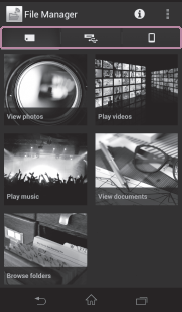
Android:
iOS:
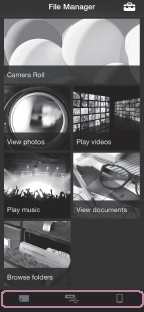
- Tap the icon of the storage device you want to access.
Owner mode:
 : Memory card inserted in the unit
  : USB device connected to the unit
  : Currently-operated device
Guest mode:
 : Folders specified to be open to guests by the owner
- : Currently-operated device
The Home screen for the tapped device is displayed.